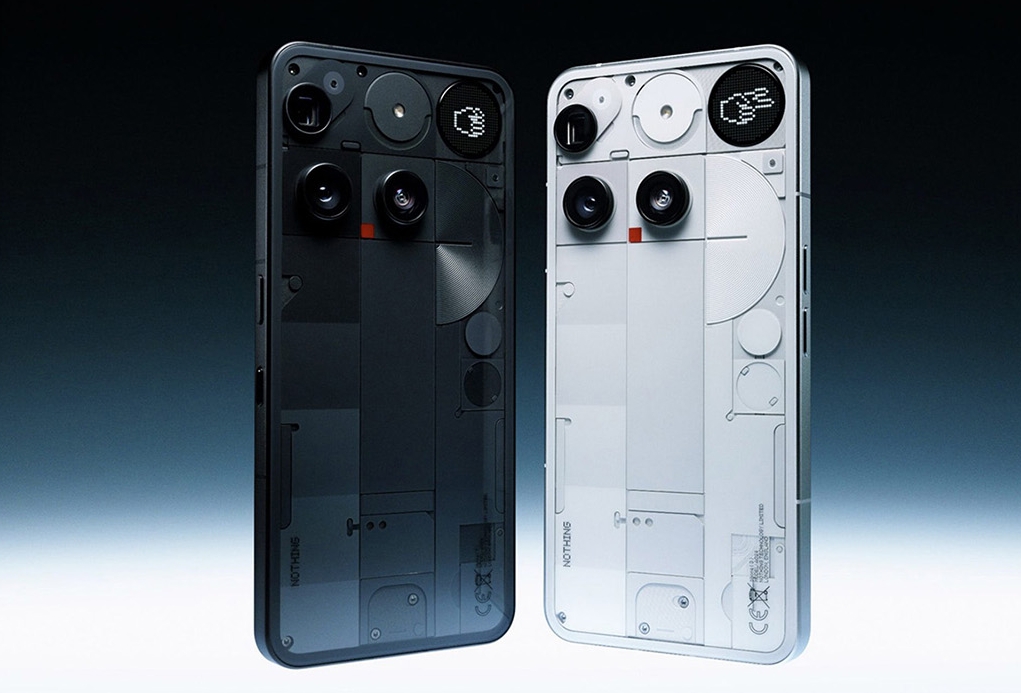
The Nothing Phone 3, launched on July 1, 2025, represents Nothing’s first true flagship device, featuring cutting-edge technology like the revolutionary Glyph Matrix display and Android 15 with Nothing OS 3.5. Having access to the official Nothing Phone 3 user guide PDF becomes invaluable.
Whether you’re a first-time Nothing user or upgrading from an older model, having the right documentation at your fingertips can make all the difference in maximizing your device’s potential.
This comprehensive guide will walk you through every step of obtaining and utilizing the Nothing Phone 3 user guide PDF, ensuring you get the most out of your $799 investment.
Understanding the Nothing Phone 3 Documentation Landscape
- Official Documentation Structure
Nothing has structured their documentation system to provide comprehensive support across all their devices.
While the Nothing Phone 3 is their newest flagship, the company maintains a robust support infrastructure that includes user guides, troubleshooting resources, and setup instructions.
The official documentation follows a consistent format across all Nothing devices, covering everything from basic hardware layout to advanced features like the Glyph Matrix interface.
- The Challenge for US Users
For US consumers, accessing Nothing Phone 3 documentation is particularly important since this marks the first time Nothing has officially launched a flagship device in the United States market.
Unlike previous models that were available through beta programs with limited support, the Phone 3 comes with full carrier compatibility for T-Mobile and AT&T networks, plus comprehensive after-sales support.
Where to Find the Nothing Phone 3 User Guide PDF
The Official Nothing Support Center
The primary source for your Nothing Phone 3 user guide PDF is the official Nothing Support Center. Here’s how to access it:
Step 1: Visit the Official Support Portal
Navigate to https://us.nothing.tech/pages/support-centre or support.nothing.tech. This is your one-stop destination for all Nothing product documentation and support resources.
Step 2: Navigate to Product Guides
Once on the support page, look for the “Product Guide” section. This area contains tips, tricks, quick-start manuals, and comprehensive user guides for all Nothing products.
Step 3: Select Your Device
While the Nothing Phone 3 is new, the support structure follows the same pattern as other Nothing devices. You’ll find sections dedicated to different phone models, with the Phone 3 likely to have its own dedicated section.
Getting Started with Your Nothing Phone 3
Initial Setup Process
Before diving into the user guide, understanding the basic setup process is crucial. The Nothing Phone 3 setup follows Android 15 conventions with Nothing-specific customizations.
Language and Region Selection
Your Phone 3 will start with a welcome screen featuring a large arrow button. At the bottom, you’ll find language selection options. For US users, ensure you select “English (United States” to get region-appropriate settings and features.
Network Connection
The setup process will prompt you to connect to Wi-Fi or use mobile data. For optimal setup experience, connect to a stable Wi-Fi network. This ensures faster app downloads and system updates during the initial configuration.
Google Account Integration
Like most Android devices, the Phone 3 will request Google account login for backup, app installation, and synchronization. This step is optional but recommended for full functionality.
Essential First Steps
Software Updates
Immediately after setup, check for system updates by navigating to Settings > System > System updates. The Phone 3 ships with Android 15 and Nothing OS 3.5, but updates may be available.
Glyph Matrix Configuration
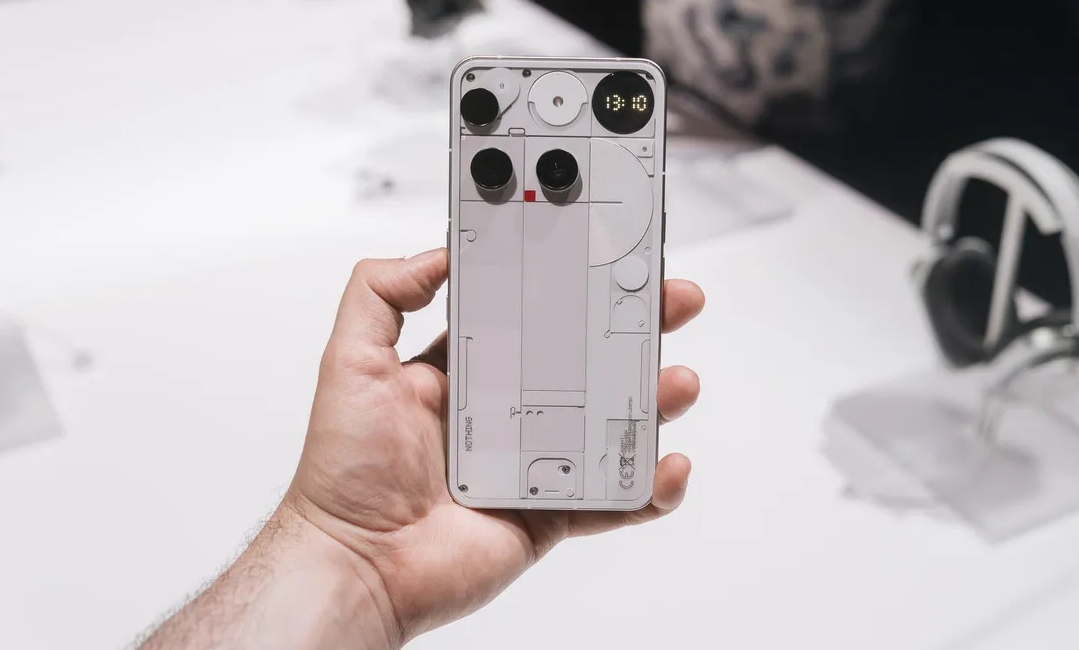
The Phone 3’s signature feature is the Glyph Matrix—a 489-LED dot matrix display on the back. Initial setup will introduce you to this feature, but the user guide provides detailed customization options.
Key Features Covered in the User Guide
Hardware layouts and navigation
The Nothing Phone 3 user guide covers the device’s unique hardware design, including
Physical Controls
- Power button placement and functions
- Volume controls and shortcuts
- Essential key functionality (located below the power button)
- Glyph button for matrix interaction
- Port and Connector Layout
- USB-C charging port specifications
- SIM tray location and dual SIM setup
- Speaker and microphone placement18
- Glyph Matrix Interface
One of the most comprehensive sections in any Nothing Phone 3 user guide will be the Glyph Matrix interface. This revolutionary feature replaces traditional LED notifications with a customizable dot matrix display.
Basic Functions
- Notification display and customization
- Contact-specific patterns and animations
- Battery level and charging indicators
- Timer and stopwatch functionality
Advanced Features
- Glyph Toys, including games like Spin the Bottle and Rock-Paper-Scissors
- Custom pattern creation through the upcoming SDK
- Widget functionality for weather, calendar, and other apps
Software and Operating System
Nothing OS 3.5 Features
The user guide covers Nothing’s custom Android 15 experience, including:
- Essential Space AI-powered features
- Essential search functionality
- Flip to Record capabilities
- Custom icon packs and themes
- App Management
Installing and deleting applications
- App drawer customization (classic vs. smart organization).
- Widget management and homescreen customization.
Tips for Maximizing Your User Guide Experience
Bookmarking Important Sections
When you obtain your Nothing Phone 3 user guide PDF, create bookmarks for frequently referenced sections:
Daily Use Sections
- Battery optimization and charging guidelines
- Camera modes and settings
- Notification management
- Glyph Matrix customization20
- Troubleshooting Sections
- Network connectivity issues
- App compatibility problems
- Hardware-related concerns
- Software update procedures
- Practical Application
- Hands-On Practice
Don’t just read the user guide—actively practice the features as you learn about them. The Nothing Phone 3 has numerous customization options that are best understood through direct interaction.
Getting your hands on the Nothing Phone 3 user guide PDF is just the beginning of your journey with this innovative device.
The combination of cutting-edge hardware like the Glyph Matrix display, powerful software features in Nothing OS 3.5, and comprehensive documentation creates an experience that’s both accessible to beginners and rewarding for advanced users.
Your Nothing Phone 3 journey starts with proper documentation—make sure you have the user guide PDF readily available, and you’ll be well-equipped to explore everything this remarkable device has to offer.
2 thoughts on “How to Get Nothing Phone 3 User Guide PDF for Beginners”